Service Admin UI guide
Service Admin is the browser console for a local Service Lasso runtime. Open its configured URL, then use the sidebar to move between operator surfaces. A page may be runtime-backed, metadata-only, preview, or unavailable; do not treat a visual status as durable unless the page states that it is runtime-backed.
First launch and navigation
- Open the Service Admin URL reported by the Core demo/proof summary.
- Start with Dashboard. If it cannot load, open Runtime; an unavailable banner means the UI has no usable runtime data.
- Use the sidebar: Services, Dependencies, Routes, Logs, Runtime, Installed, Variables, Network, Operations, Secrets Broker, Settings, and Help Center.
- Use page-toolbar and contextual Help links where present. A disabled control states its missing prerequisite or permission.
Core operational workflow
- In Dashboard, read runtime health, warnings, service totals, and Broker posture.
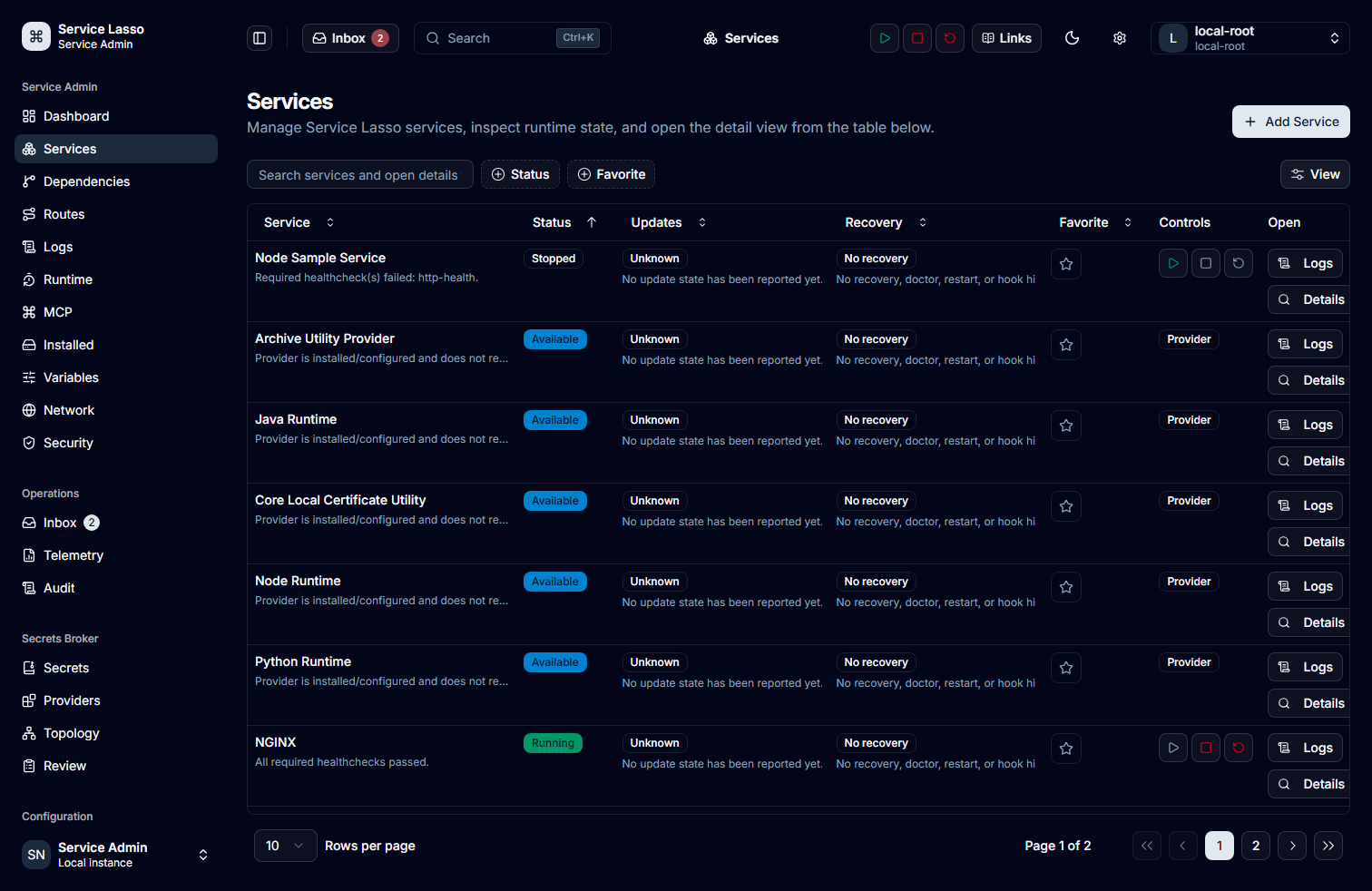
- In Services, use search, filtering and sorting, then open the exact service row.
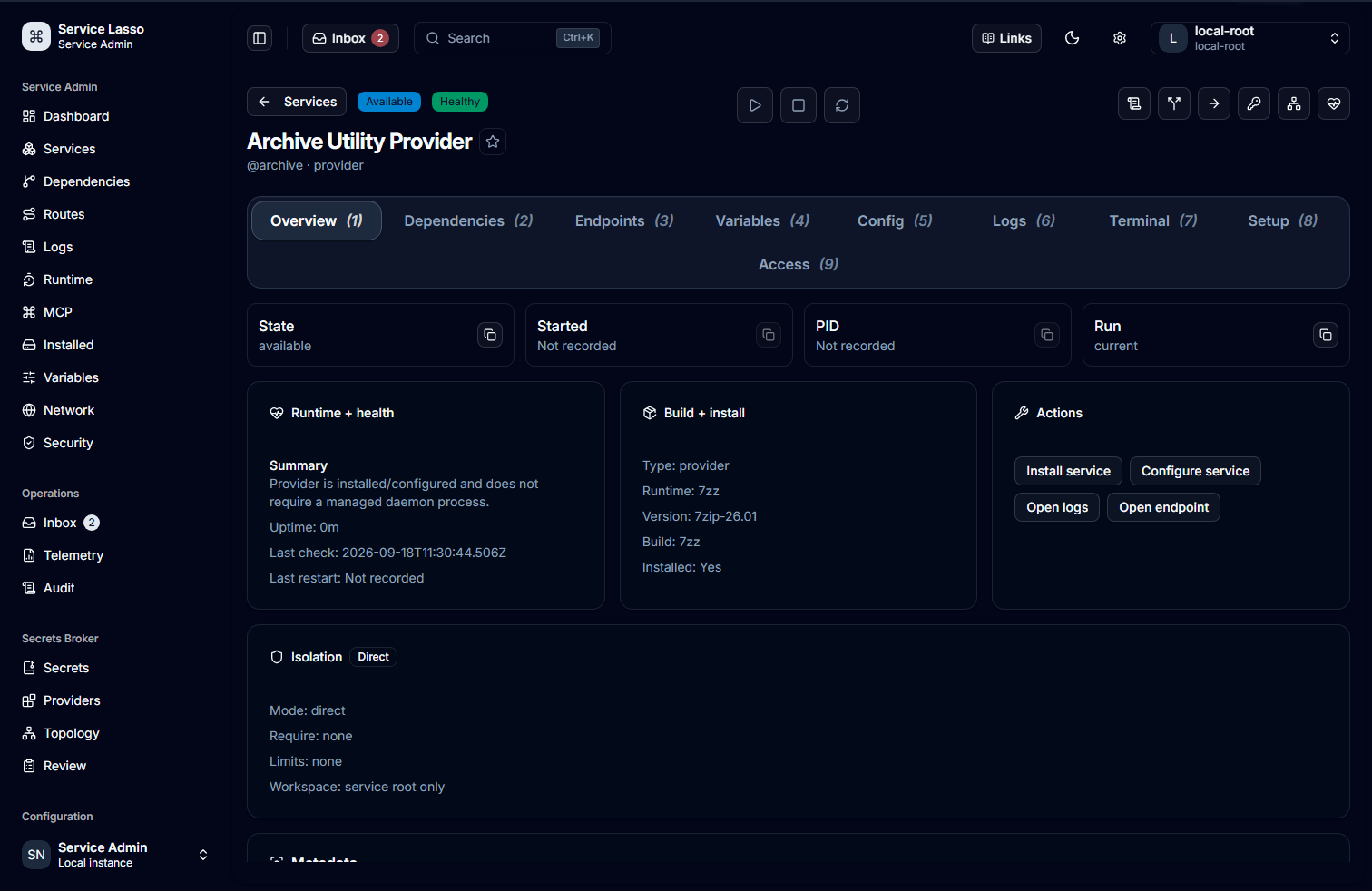
- On the detail page, review status, dependencies, endpoints, health, setup and recent lifecycle evidence before choosing Start, Stop, Restart, install/configuration or update actions that are exposed.
- Confirm risky actions in their dialog. Cancellation leaves state unchanged; validation identifies missing inputs or authority.
- Refresh the detail page and Dashboard, then inspect Logs or Runtime to confirm resulting state. A toast alone is not confirmation.
Page and control reference
| Page / route | Purpose and key controls | State handling |
|---|---|---|
Dashboard / | health summary, alerts, recovery links | loading/unavailable banner; verify by Runtime refresh |
Services /services, /services/:id | search, filters, sorting, details and lifecycle actions | empty results, disabled actions, confirmation/cancel, error/recovery |
Dependencies /dependencies | dependency and SecretRef relationships | metadata may be incomplete; use service detail for action evidence |
Service Routes /service-routes, Network /network | configured endpoint/host/port metadata and open links | configuration is not reachability proof |
Logs /logs | source selection and bounded log reading | empty/loading/read errors; never paste sensitive logs |
Runtime /runtime, Installed /installed | runtime identity, readiness and installed metadata | separates UI from Core failures |
Variables /variables | global/service variable and SecretRef posture | raw secret values are not displayed |
Operations /inbox, /operations/telemetry, /operations/audit-logging | notices, telemetry and audit metadata | refresh after read/hide/restore mutations |
Secrets Broker /secrets-broker/* | setup, inventory, providers, topology, policy and diagnostics | permission, confirmation, lockout and recovery are explicit |
MCP /mcp, Security /security | safe MCP/security posture | configuration and mutations are runtime-authorized |
Settings /settings/* | appearance, display, account and notification preferences | some data is local/metadata-only |
| Apps, Chats, Tasks, Users | available workspace surfaces | empty/unavailable states do not imply backend actions |
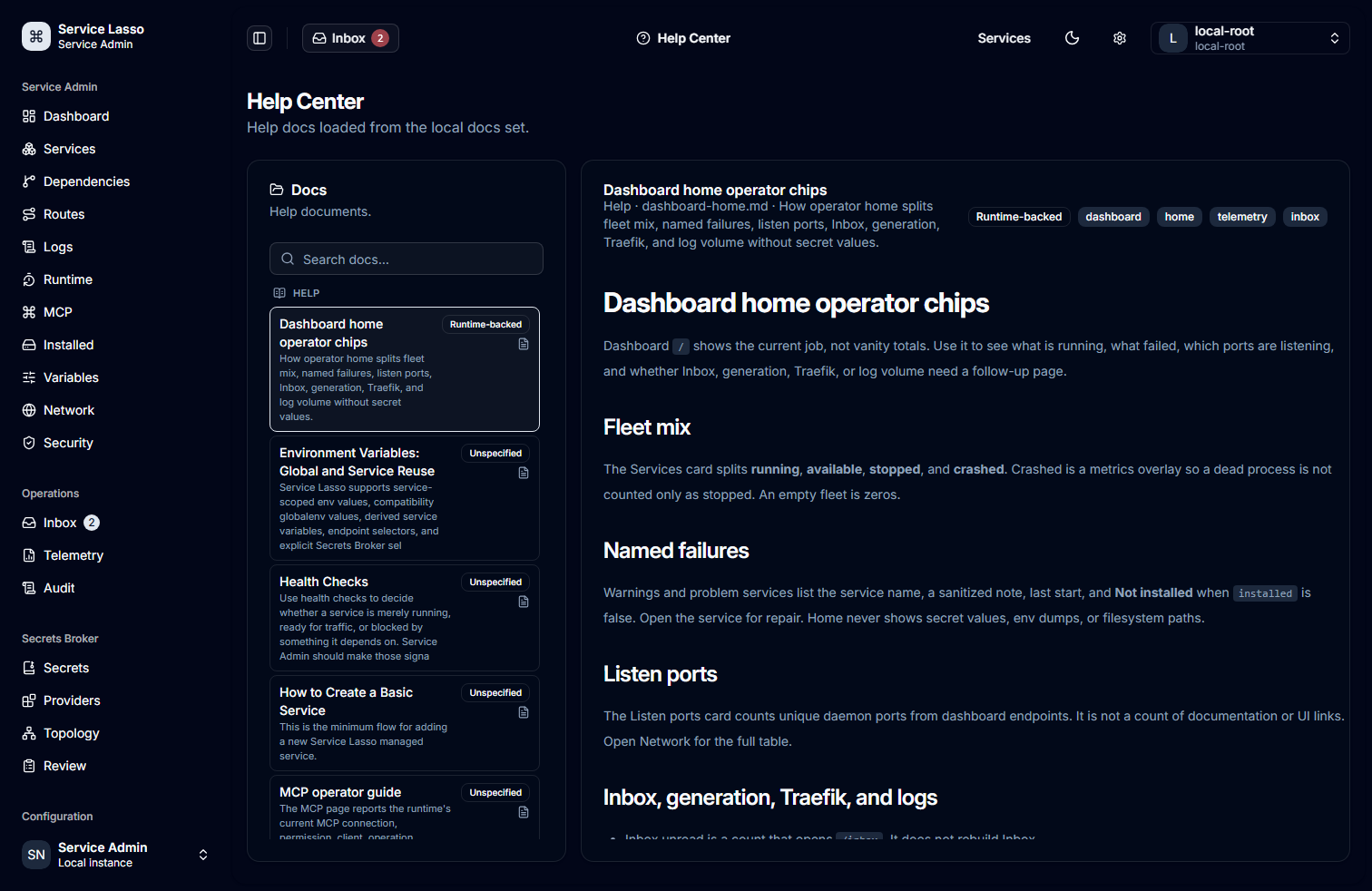
Help Center /help-center | local operator guides and search | no-match state says No docs matched the current search |
Sign-in, sign-up, OTP, forgot password and /401–/503 | auth and error paths | availability depends on configured identity provider |
Secrets Broker safety
Inventory, providers, topology, diagnostics, configuration, audit events, backup keys and operational controls are distinct routes. Reveal, mutation, decommission, rotation, policy and provider workflows require a trusted runtime actor and can require a one-time confirmation. Record only safe identifiers, outcomes and timestamps; never copy a value, recovery material, credential, token, private key or raw request/log payload.
RAM file usage
Secrets Broker → RAM files (/secrets-broker/webdav) opens directly on the
inventory panel. It shows listener state, RAM capacity/use, active grants,
filenames, service/workspace owners, sizes, completed downloads, bytes served
and last access. The same panel appears in the Broker service's Secrets tab.
It never offers content reveal, upload or download controls.
Refresh manually or wait for the 30-second poll. Service filters, search and sorting apply to the current page; pagination reaches the remaining inventory. Counters reset when grants are replaced/revoked or Broker restarts. HEAD and directory listings are excluded from completed downloads. Use the secure provisioning lesson to compare these server counters with Echo's safe consumer read status. Workspace-read permission and matching Core/Broker/Admin builds are required; live failures do not substitute demo inventory.
Refreshing the documentation tour
Use the capture manifest and refresh guide to run the
reviewed, read-only Playwright tour against a live Service Admin URL. It
creates an isolated 1512×982 review set and rejects setup, unavailable, and
skeleton screens before it writes an image. A normal run regenerates the
approved public assets in this guide's docs/static/img/service-admin-tour/
directory. Dashboard uses its separate
public-capture policy: it remains
review-only unless the named policy is selected, and its dynamic operational
text is then masked before the frame can be promoted.
Current UI tour
The approved, read-only tour frames below are regenerated by the normal capture command. The Dashboard remains omitted until a fresh policy-controlled capture has passed independent visual review; the policy masks Dashboard values rather than treating password masking as sufficient protection.
Troubleshooting and glossary
- Blank, loading or unavailable page: open Runtime, refresh, and verify
Core
/api/healththrough the same-origin proxy. - Action disabled: read the adjacent explanation; common causes are missing permission, unhealthy dependency, unsupported capability or confirmation.
- Healthy but unreachable: compare Network and Service Routes, then test the advertised interface separately.
- No results: clear search/filter controls before diagnosing a service.
- Runtime-backed means returned by Core; metadata-only is descriptive, not live proof; a SecretRef is a reference, not secret material; an operation id identifies a durable action outcome.